Track 019:16 · 17s
SelectedTiny Desk AI Video
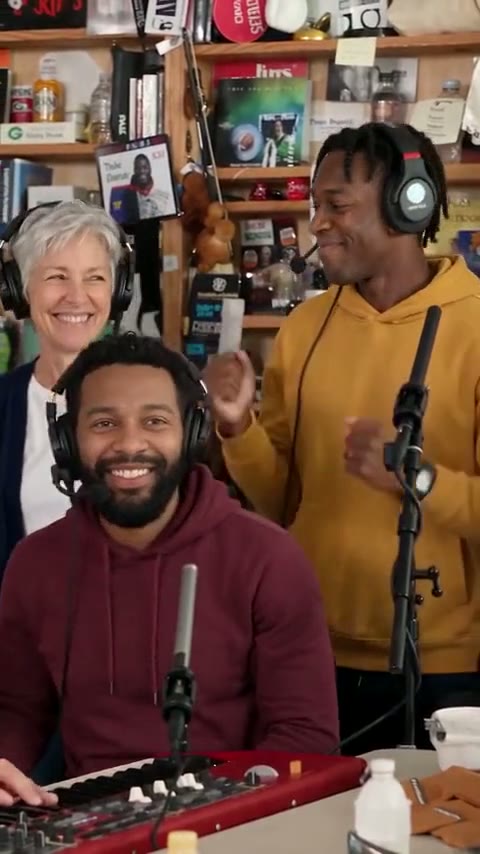
Up to three photos, one cramped desk concert — and you're on lead vocals.
1–3 photos · from 20 credits
New trend templates every week
Every week ClipsRemake rebuilds a clip the internet can't stop copying. Drop in your photos and get your own take back: same beat, same camera moves, soundtrack on top.
01 · Make yours
One person per photo with the face in plain view. Bright, sharp photos hold up best.
One photo works — add up to 3 to bring your friends in.
Use everyday photos of you or friends who said yes. Photos of public figures and stills from films or music videos get rejected in review.
Selected template
Tiny Desk AI Video
Up to three photos, one cramped desk concert — and you're on lead vocals.
Template details →Your video will appear here
Add your photos and hit Generate. Most videos are ready in a few minutes.
02 · Choose a clip
Every template is a trend we rebuilt shot by shot. Hover to play it, or pick one to load it into the studio.
Up to three photos, one cramped desk concert — and you're on lead vocals.
1–3 photos · from 20 credits
How it works
Add the photos your template asks for: one person per photo, face in plain view, decent light. JPG, PNG or WebP up to 20 MB all work. Each photo gets a quick review first, and if one is turned away, your credits come straight back.
Each template keeps the original's timing, camera moves and music. Every card shows how many photos it takes, how long the video runs and what it costs, so there are no surprises. New templates land every week as fresh trends take off.
Choose Fast for a quicker, cheaper cut of the best moment, or Premium for the full-length video at up to 1080p. Most videos are ready within a few minutes, and you can close the tab while you wait. If a render fails, every credit comes back.
Why it works
A clip blows up, everybody wants their own version, and filming one yourself takes a crew and a weekend. We rebuild the scene once — the cuts, the camera, the moves — so all you bring is the faces.
New templates land every week, picked from what people are actually remaking right now.
Each template says how many photos it takes: go solo or bring up to three friends. On templates with optional slots, any role you leave empty is played by a stranger, so the scene still plays out in full.
We recreate the backdrop, props and light that make the clip instantly recognizable, from a cramped office desk to a wall of overstuffed shelves. You don't need the location or the gear: your photo brings the face, the template brings the room.
The AI follows the original's timing and camera shot for shot: the same cuts, the same close-ups, the same big moment at the end. It recreates the motion with your face instead of copying the original video frame by frame.
The template's soundtrack is mixed into your finished video, lined up from the first frame and ready to post. Prefer a sound from TikTok or Instagram's own library? Switch the music off and download a silent copy instead.
Photo guide
The AI can only keep what it can see. Thirty seconds picking photos beats a second render.
Crop out everyone else so the AI knows exactly who it's casting. In a group shot it has to guess which face you meant, and it may blend two people into one.
Side profiles and big head tilts make the likeness slip, because the AI has less of your face to work from. A straight-on selfie or a portrait with a slight turn works best.
Skip sunglasses, masks and hands across the face. Everyday glasses are fine, and the video keeps them, but anything hiding your eyes or jaw makes the result look less like you.
Use the original file, not a screenshot or a filtered, squashed copy. Each side needs at least 300 pixels, and a sharp photo of 1000 pixels or more gives the AI the detail it needs.
Pricing
One-time credit packs. Fast videos from 20 credits, full Premium videos from 45.
Starter
$9.99
30 credits · one-time
Creator
Most popular$29.99
100 credits · one-time
Studio
Save 16%$69.99
250 credits · one-time
FAQ
An independent tool that turns trending clips into photo templates. Choose a template, add your photos, and the AI puts the people in them into the scene with the template's soundtrack mixed in.
One person per photo, facing forward, in good light. Only use photos of yourself or of people who said yes to being in it.
A few minutes, most of the time. You can close the tab: finished videos wait for you in your account.
You pay in credits. Fast videos start at 20; a full Premium video is 45 credits at 480p, 100 at 720p and 180 at 1080p. Every template shows its price before you render.
Your credits land back in your balance on their own. You're only charged for videos that finish.
Just you. Photos and videos live in your account only, and uploaded photos are deleted after 30 days.
New every week
Before you upload: only use photos you have the right to use. No public figures, minors, impersonation or copyrighted characters.